
Few PC buying questions trigger as much debate as system memory: “Is 8GB still enough for basic web browsing?” “Is 16GB the new bare minimum?” “Do I really need 32GB or 64GB for modern gaming and editing?” Compounding the confusion, hardware manufacturers often charge outrageous premiums—sometimes ₹15,000 to ₹20,000—just to jump from a base memory tier to the next on soldered laptops.
In 2026, memory demands have climbed significantly. Web browsers treat RAM like an all-you-can-eat buffet, modern operating systems run background AI indexing models, and modern game engines stream massive 4K asset textures directly into memory. If your computer doesn’t have enough physical RAM, it is forced to use “paging” or “swap files”—dumping overflow data onto your SSD, which creates stutter, hitching, and accelerated drive wear. Here is exactly how much RAM you need based on your specific use case.
Our Take / Quick Verdict: 8GB is officially obsolete for Windows 11 in 2026—avoid buying an 8GB non-upgradeable laptop. 16GB is the sweet spot for 85% of users, delivering seamless multitasking, office work, and casual gaming. 32GB is the modern standard for serious gamers, software developers, and video editors who want zero stuttering under heavy multi-app workloads.
Why Memory Consumption Exploded in Recent Years
If you feel like laptops ran fine on 8GB five years ago, you aren’t imagining things. Several technological shifts pushed memory consumption upward:
- Electron and Web-Based Desktop Apps: Apps you use every day—Slack, Discord, Microsoft Teams, Spotify, WhatsApp Desktop, VS Code—are essentially individual instances of Google Chrome wrapped in a window. Running four of these communication tools simultaneously can easily consume 4GB of RAM before you even launch a browser tab.
- Operating System Caching: Windows 11 and macOS actively cache frequently accessed libraries in idle RAM to ensure instant responsiveness. A system with 16GB will naturally consume 5GB to 6GB just sitting on the desktop, and that is by design.
- Integrated Graphics Allocation: Laptops without dedicated graphics cards (Nvidia/AMD) share your system RAM with the internal GPU. If your integrated GPU reserves 2GB to 4GB of video memory for display rendering, an 8GB laptop effectively leaves only 4GB for all your applications.
RAM Buyer’s Guide: Tier-by-Tier Breakdown
To help you choose the right configuration before clicking buy, examine how each memory capacity performs across everyday computing workloads:
| RAM Capacity | Current Status (2026) | Ideal User Profile | Expected Experience |
|---|---|---|---|
| 4GB | Obsolete | Feature phones, smart TVs only | Severe freezing, unplayable on Windows 11. Strictly avoid. |
| 8GB | Bare Minimum / Budget | Light ChromeOS users, strict budget Windows | Smooth for 5-8 tabs; will hitch when running multiple apps. |
| 16GB | The Universal Sweet Spot | Students, office professionals, casual gamers | Zero hesitation; dozens of browser tabs, Office, 1080p gaming. |
| 32GB | Enthusiast & Creator Standard | PC gamers, 4K video editors, programmers, virtual machines | Total freedom; background rendering while gaming, zero swap disk lag. |
| 64GB+ | Professional Workstation | 3D animators (Blender/Maya), heavy LLM developers, data science | Essential for massive cache datasets and enterprise local AI models. |
The 8GB Trap: Why You Should Avoid It on Windows
Many big-box retail stores still push 8GB laptops at attractive prices like ₹32,000 to ₹38,000. While the price is tempting, buying an 8GB machine where the memory is soldered (non-upgradable) is a critical mistake. Within eighteen months, as software updates roll in, the system will constantly run out of physical memory.
When RAM fills up, Windows initiates virtual memory swapping on your SSD. While modern NVMe drives are fast, SSD flash memory is still roughly ten to twenty times slower than real DDR5 RAM. You will experience microscopic micro-stutters when switching windows, hitching in casual games, and noticeable battery drain as the storage controller works overtime.
Single-Channel vs. Dual-Channel: The Hidden Speed Doubler
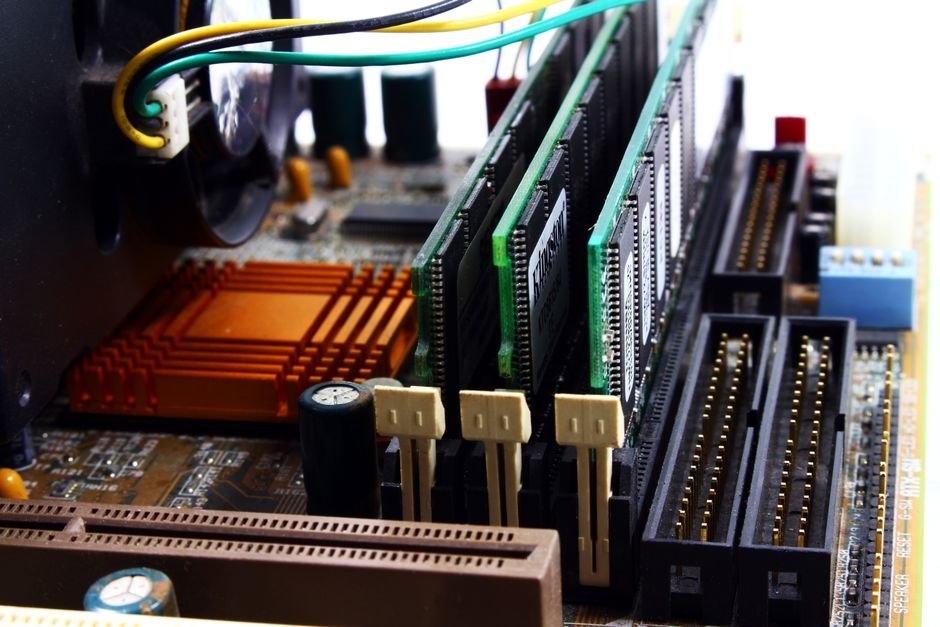
Capacity is only half the story; memory architecture matters just as much. A computer with a single 16GB stick of RAM operates in Single-Channel mode (a 64-bit wide data bus). If you configure that exact same 16GB as two 8GB sticks (2x8GB), the system runs in Dual-Channel mode (a 128-bit wide bus).
This effectively doubles memory bandwidth. In CPU-bound games and graphic-intensive applications, switching from single-channel to dual-channel memory can deliver an immediate 15% to 25% boost in gaming frame rates on integrated graphics. Whenever possible, ensure your laptop or desktop runs in dual-channel configuration.
Looking at older hardware and wondering if a simple RAM upgrade will save you from buying a new laptop? Read our diagnostic checklist on Signs It’s Time to Upgrade Your Old Laptop before spending money on new parts.
Frequently Asked Questions
1. Is 8GB on a Mac equivalent to 16GB on a Windows PC?
No, despite Apple marketing claims. While Apple’s Unified Memory Architecture (UMA) on M-series chips is extraordinarily fast with zero latency overhead, a byte is still a byte. Opening heavy 4K video timelines or 40 browser tabs on an 8GB Mac forces heavy SSD swap file usage, which degrades SSD health over the years. In 2026, buy a 16GB Mac.
2. What is the difference between DDR4 and DDR5 RAM?
DDR5 offers significantly higher bandwidth (typically 4800MHz to 6400MHz vs 3200MHz on DDR4), lower operating voltage, and on-die error correction (ODECC). DDR5 is standard on modern platforms, but high-speed dual-channel DDR4 remains perfectly capable for budget machines.
3. Can having too much RAM harm my computer?
No, having extra RAM does not harm your system. However, unused RAM provides zero additional speed. If your daily workflow only consumes 14GB, spending money on 64GB will not make your PC feel any faster than 16GB or 32GB.
4. Can I upgrade my laptop’s RAM myself?
It depends on the model. Many gaming and budget laptops feature standard removable SO-DIMM slots that allow you to pop off the back cover and insert a new RAM stick in five minutes. However, ultra-thin notebooks and all Apple MacBooks solder memory directly to the motherboard, making post-purchase upgrades impossible.
Final Recommendation
If you are buying or building a computer in 2026, draw a line in the sand: do not buy an 8GB system unless it has an open slot for an immediate ₹1,500 upgrade. For 85% of users, 16GB provides effortless speed, responsive multitasking, and longevity for the next four to five years. And if you are an enthusiast gamer, video editor, or coder, invest in 32GB—the price difference has never been smaller, and the performance smoothness is worth every rupee.